User Manual
A comprehensive guide to Pulse, Sound, and Connectivity.
The Metronome
The main interface features a physics-based visual pendulum and essential timing controls.
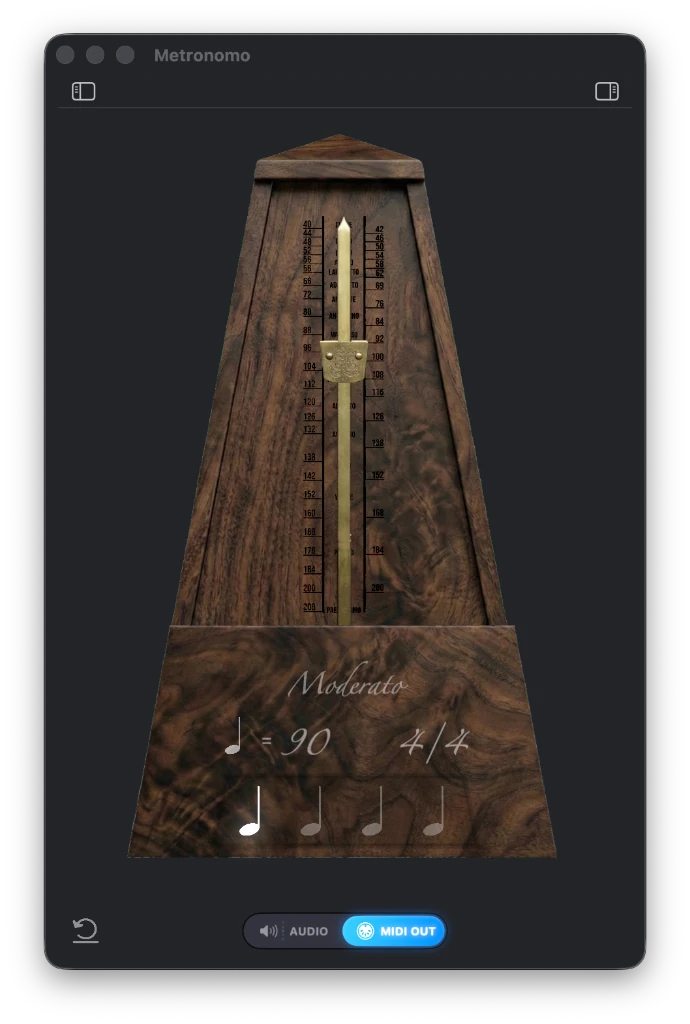
BPM Weight
Drag up/down to adjust Tempo (BPM).
Time Signature
Click to cycle through signatures (4/4, 3/4, 5/4, etc).
Visual Rhythm
Notes light up to visualize the beat structure.
View Toggle
Switch between views or open settings.
Controls & Shortcuts
Master the metronome with keyboard shortcuts and mouse interactions.
Keyboard Shortcuts
- SPACE Start / Stop Metronome
- → Increase BPM (+1)
- ← Decrease BPM (-1)
- ↑ Next Time Signature
- ↓ Previous Time Signature
Mouse Interactions
- Start / Stop Click anywhere on the main metronome body image.
- Adjust Tempo Click and drag the pendulum weight up or down.
- Change Time Signature Click the Time Signature text (e.g., 4/4) to cycle.
- Open Sidebars Click the sidebar toggle icons (left/right) to reveal Sound Mixer or Settings.
Sound Mixer
Customize the volume and instrument for each beat subdivision.
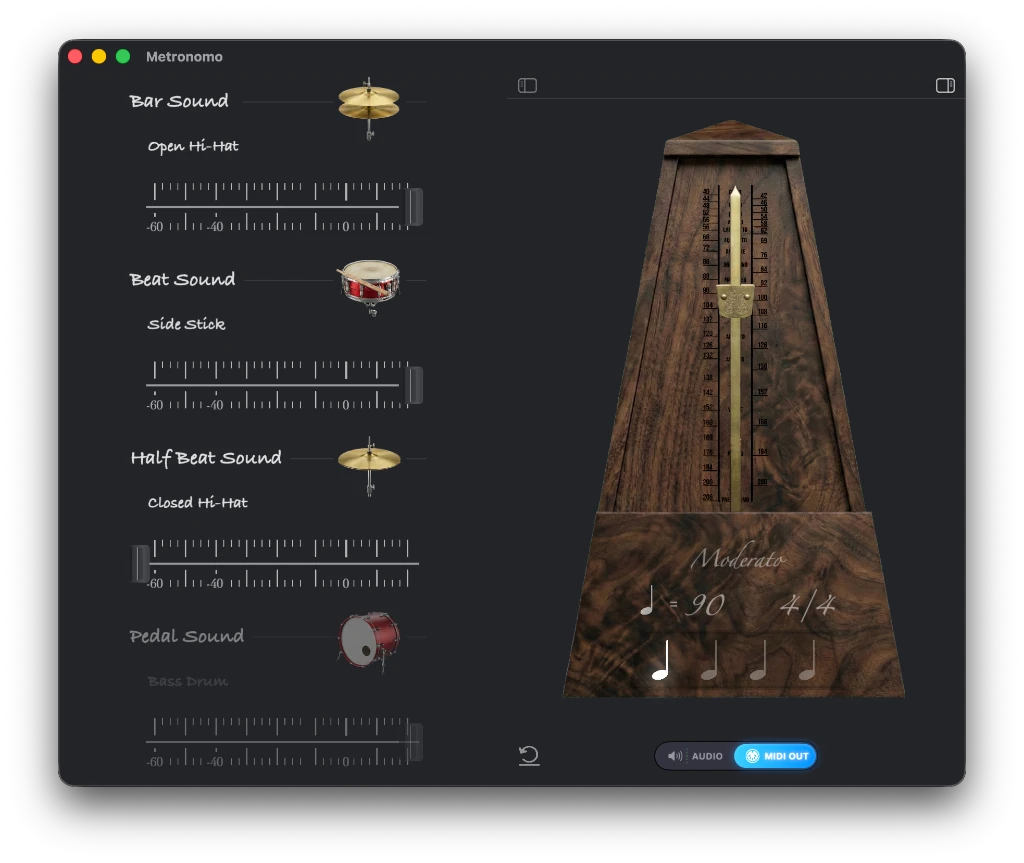
Bar Accent
Volume for the first beat of the bar. Click instrument to change sound.
Beat Sound
Volume for the main quarter notes.
Subdivisions
Volume for eighth/sixteenth notes.
MIDI & Hardware
Connect external MIDI controllers and configure output destinations.
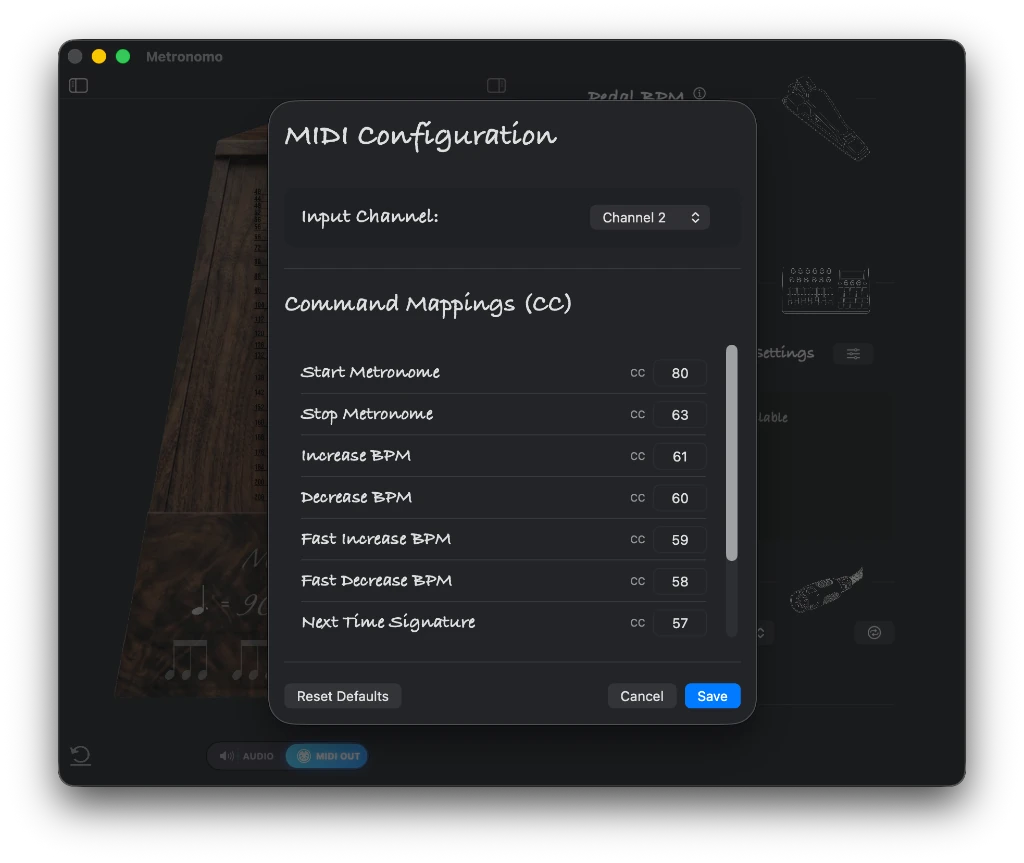
CC Mappings
Assign custom MIDI CC numbers to metronome actions.
Save / Reset
Save your custom mapping profile.
Settings & Peripherals
Configure external pedals and MIDI controllers.
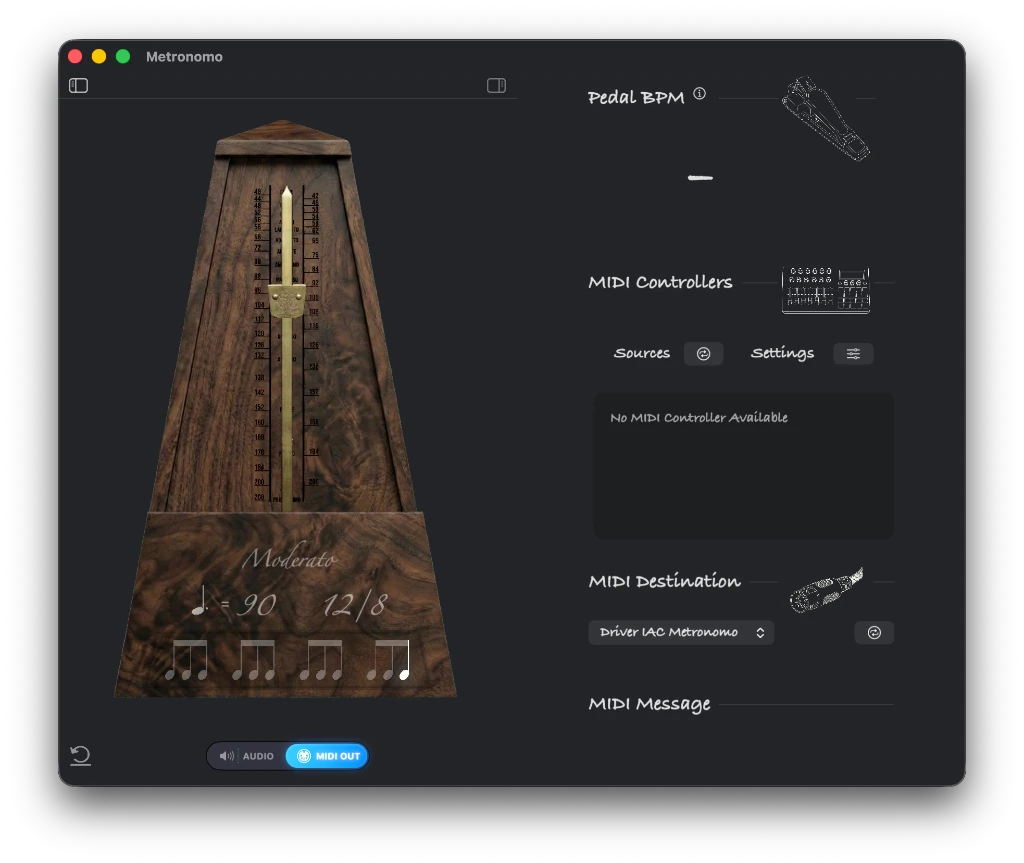
Pedal BPM
Control Tempo via Tap Tempo pedal.
MIDI Controllers
Connect standard MIDI controllers (nanoKONTROL, etc).
Time Signatures
Support for complex and compound meters.
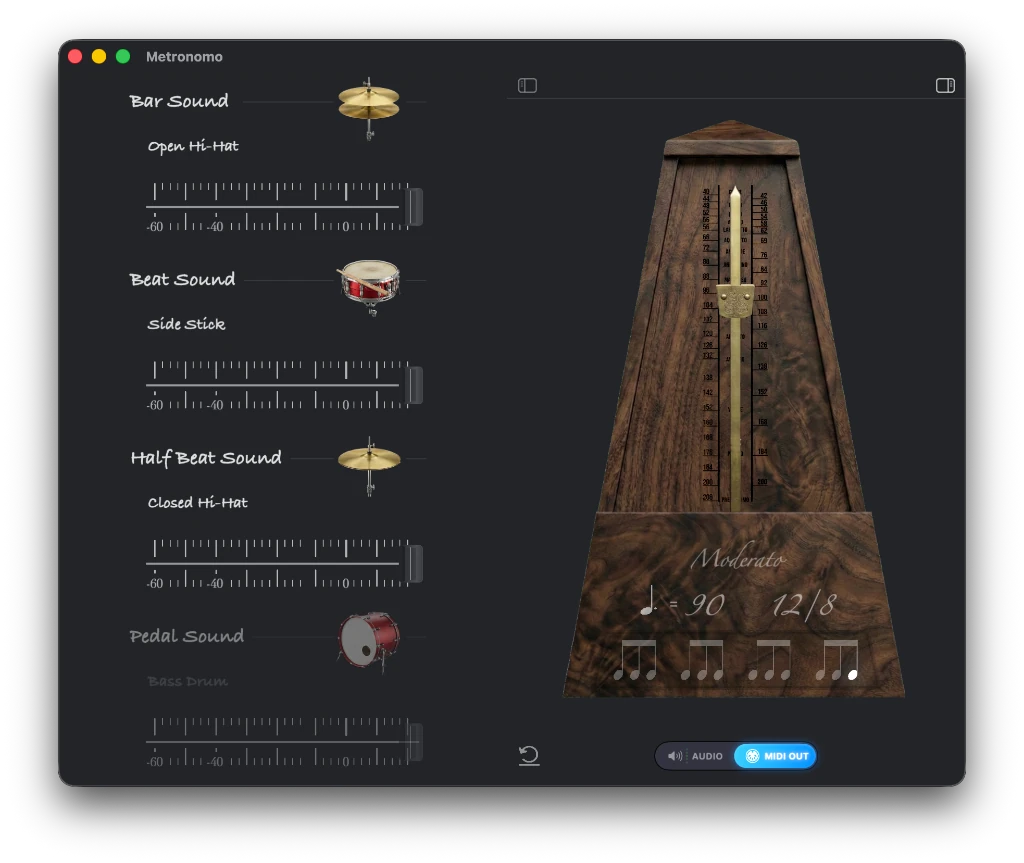
Compound Meter
Example of 12/8 timing with grouped subdivisions.